
How to turn YouTube comments into podcast content ideas
Learn how to analyze YouTube comments and turn repeated questions, requests, and timestamped feedback into evidence-backed podcast content ideas.
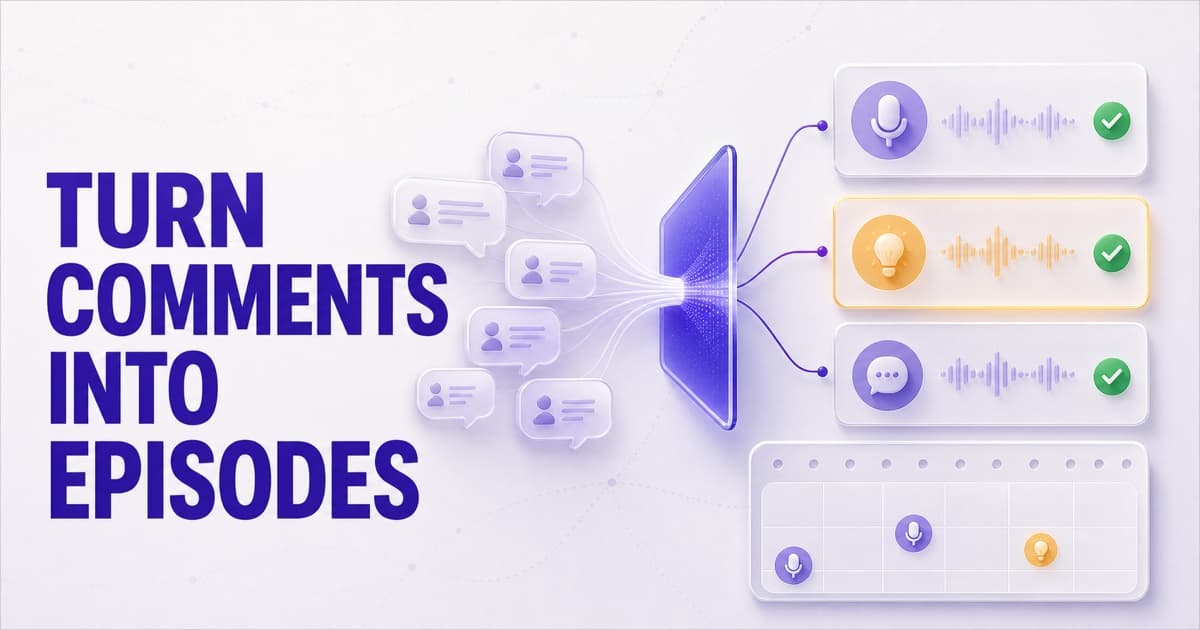
To turn YouTube comments into podcast content ideas, classify each comment by intent, group repeated questions and requests, connect every pattern to the episode, guest, topic, or timestamp that prompted it, and read the underlying comments before acting. The strongest ideas are not the loudest comments; they are specific needs that recur across independent listeners and point to a decision you can make.
YouTube comments become useful podcast audience insights when you stop reading them as a flat feed and start treating them as evidence. Classify what each person is trying to do, group comments that express the same need, connect every pattern to the episode context that produced it, and then read the source comments before changing your show.
That turns “people seem to like this” into decisions a producer can actually make: book this guest again, answer this repeated question, fix this production issue, clip this moment, or build the next episode around this unresolved problem.
What comments tell you that analytics cannot
Podcast analytics and comments are complementary, not competing, sources of evidence.
| Signal | What it tells you | What it cannot tell you alone |
|---|---|---|
| Views and downloads | How much demand an episode attracted | Why someone chose it or what they still need |
| Retention | Where attention rose or fell | What caused the reaction |
| Likes | A low-effort positive signal | Which idea, guest, or moment earned it |
| Comments | The audience's questions, requests, objections, and language | How representative the commenters are of the silent audience |
The distinction matters. A retention dip is an observation; “the intro took six minutes to reach the topic” is a possible explanation. A high-view episode is an outcome; “please bring this guest back for a technical deep dive” is a possible next move.
Comments are not a statistically representative survey. The people who write them are a self-selected slice of your audience. Treat a comment as a qualitative clue, a repeated pattern as a hypothesis, and the rest of your analytics as a way to test that hypothesis.
Six YouTube comment signals worth separating
A useful YouTube comment analysis starts with intent: what is this person trying to accomplish? Sentiment helps, but positive versus negative is rarely enough to decide what to make next.
1. Questions reveal missing episodes
Questions expose what the current episode did not fully answer. One precise question may deserve a reply; the same question across several videos can support a Q&A, explainer, interview segment, or standalone episode.
Use the audience's wording in the working brief. It is often clearer than an internal topic label and closer to the language future listeners will search or ask an answer engine.
2. Suggestions reveal explicit demand
Requests for a topic, guest, format, comparison, or follow-up are the most direct content ideas in the feed. Separate specific requests (“compare the two onboarding approaches”) from generic encouragement (“more episodes like this”). Specificity makes an idea producible.
3. Complaints reveal repair work
A complaint may point to sound quality, pacing, missing context, a weak claim, or an unanswered objection. Not every complaint deserves a programming change, but recurring complaints should enter the same backlog as new episode ideas. Sometimes the highest-value next episode is a correction or a better explanation.
4. Experiences reveal new evidence
Listeners often add their own case studies, counterexamples, and results. These comments can surface a stronger follow-up angle than a direct suggestion because they show where the original idea meets reality. Ask permission before turning a listener's personal story into identifiable editorial material.
5. Praise reveals what to repeat
Generic praise is encouraging; specific praise is operational. “Great episode” is not a format decision. “The live teardown at 24:10 finally made this understandable” tells you which segment, teaching style, and level of detail worked.
6. Timestamps reveal the moment
A timestamp connects feedback to exact context. It can identify a clip candidate, the claim that created confusion, the guest answer people keep quoting, or the section that should become a deeper follow-up. Without that connection, a producer has to reconstruct the context manually.
How to analyze YouTube comments for content ideas
The workflow is simple enough to run every week and strict enough to keep one loud comment from hijacking the editorial calendar.
Step 1: collect across the catalog
Do not review only the latest upload. A recurring audience need may be scattered across months of episodes, especially when several guests touch the same topic. Keep episode title, publish date, captured like count, author, and any timestamp with the comment.
Step 2: classify intent before sentiment
Label each comment as a question, suggestion, complaint, experience, praise, or noise. Then add positive, neutral, or negative sentiment as a second dimension.
This separation prevents obvious mistakes. An enthusiastic suggestion is not merely positive feedback; it contains a request. A negative personal experience is not merely criticism; it may be evidence that challenges the episode's conclusion.
Step 3: group the same underlying need
Merge paraphrases, not just matching keywords. “Could you show the setup?”, “What does the workflow look like?”, and “I need a real example” may all support one need: a practical walkthrough.
Use a small recurrence threshold to triage patterns. Three independent comments can be enough to investigate, but it is not proof of broad demand. Favor clusters that are:
- Repeated across more than one person or episode.
- Specific enough to become a title, guest brief, or production change.
- Relevant to the audience and promise of the show.
- Recent or persistent, rather than a request the show already resolved.
Step 4: reconnect the pattern to context
For every cluster, ask:
- Which episodes generated it?
- Is it associated with a guest or a recurring topic?
- Did listeners point to the same moment or chapter?
- Is the pattern growing, stable, or limited to one launch spike?
Context separates “the audience wants more AI episodes” from the more useful “listeners want this guest to demonstrate a production workflow rather than discuss AI strategy again.”
Step 5: inspect the evidence
Never schedule from an AI-generated theme alone. Open the comments behind the count and read them. Check whether they genuinely express the same need, whether the model collapsed important disagreements, and whether host comments, spam, or emoji-only reactions inflated the pattern.
Traceability is the difference between an audience insight and a confident summary with no receipts.
Step 6: write a decision-ready idea
Turn the pattern into a short content brief:
| Field | Example |
|---|---|
| Audience need | “Show the complete setup, not another high-level explanation.” |
| Evidence | Five requests across three episodes; two point to the same demo segment. |
| Episode promise | “Build the workflow from a blank project in 30 minutes.” |
| Format | Solo screen-share teardown with a downloadable checklist. |
| Success check | Fewer setup questions; more comments about results and edge cases. |
The final title does not have to copy the comments. The promise should answer the need they reveal.
A 30-minute weekly audience-insights ritual
Keep the loop small enough to repeat:
- Five minutes: review new questions and comments that mention timestamps.
- Ten minutes: inspect growing suggestions, complaints, and repeated themes across the catalog.
- Ten minutes: choose one pattern and read every source comment behind it.
- Five minutes: create one editorial decision — reply, fix, clip, follow up, or schedule.
Reply where the conversation lives. YouTube's own creator guidance calls comments a place for direct feedback and recommends asking specific questions, finding questions in the feed, and replying so viewers know you are listening. The analysis layer should help you decide where attention is needed; it should not impersonate the host or move moderation away from YouTube.
Turn audience questions into searchable answers
Comments are also a source of SEO and GEO research because they contain real questions in the audience's language. Google's guidance on helpful, reliable, people-first content asks whether a page provides original information, substantial value, and a satisfying answer for its intended audience. A recurring listener question gives you a concrete starting point for all three.
The private comments analysis is not indexable content and does not directly improve rankings. The opportunity comes after the research: make a better episode, then publish a useful page that answers the demonstrated need. Google says its AI search features use the same foundational SEO practices; they do not require a special GEO schema or AI-only file.
For each strong question cluster:
- State the direct answer near the beginning of the episode page or companion article.
- Use the exact problem language naturally in the title, headings, and summary.
- Support the answer with the guest's expertise, examples, transcript moments, and sources.
- Break related follow-ups into descriptive sections instead of hiding them in a generic recap.
- Link back to the episode and timestamp that contains the full explanation.
This is not keyword stuffing and it is not writing for a model instead of a person. It is converting a demonstrated audience need into an original, answerable resource that both people and retrieval systems can understand.
For the publishing side of that loop, see how to make podcast episodes crawlable and citable by answer engines.
How PodHood Comments works
PodHood Comments turns this workflow into a catalog-wide view for YouTube-sourced podcasts.
- It imports a top-liked slice plus the newest page on first contact, then checks for new top-level comments daily. Refresh now runs the same pull on demand.
- It infers sentiment and intent for comments in any language, while deterministic parsing extracts timestamp references. Questions, suggestions, praise, complaints, experiences, and noise stay distinct.
- It groups recurring suggestions and complaints into Content ideas, then compares comment patterns across episodes featuring indexed guests and topics.
- Every number opens the comments behind it. Noise and the host's own comments stay visible but out of audience statistics.
- Each comment links back to its YouTube thread. PodHood never replies, hearts, pins, or moderates on your behalf.
YouTube Studio already provides AI comment summaries and topic-based comment search. PodHood's focus is the podcast-specific layer across episodes: explicit intent labels, recurring asks that persist, timestamp-to-chapter context, guest and topic comparisons, and aggregates that always open back to their evidence.
Comments is available on Pro and Studio for YouTube-sourced Channels and does not consume indexing Credits. RSS-only podcasts have no YouTube comment source, so the page does not appear for them.
The goal is not to replace editorial judgment. It is to compress the distance between thousands of scattered comments and the few audience needs worth a producer's attention — without losing the evidence that makes those needs trustworthy.
If your show publishes on YouTube, connect your channel and turn the next repeated audience question into an episode people are already asking for. For the exact import, labeling, filtering, and availability rules, read the Comments guide.
Frequently asked questions
- How can I turn YouTube comments into podcast content ideas?
- Sort comments into questions, suggestions, complaints, experiences, and praise; group comments that express the same need; then turn each recurring need into a clear episode promise. Keep links to the original comments so a producer can verify the evidence before scheduling the idea.
- What should I look for in podcast comments?
- Look for repeated questions, requested topics or guests, production complaints, personal experiences that add a new angle, praise for a specific format, and timestamps where listeners consistently react. Recurrence, specificity, and connection to an actionable decision matter more than raw comment volume.
- Are comments more useful than podcast analytics?
- They answer different questions. Analytics show what happened at scale, such as views or retention. Comments add qualitative context: what a listener wanted, misunderstood, valued, or wants next. Use comments to form hypotheses and analytics to test how broadly those hypotheses apply.
- Can AI analyze YouTube comments for a podcast?
- Yes. AI can label sentiment and intent and group similar requests across episodes, while deterministic parsing can extract timestamp references. The useful output must remain traceable to the original comments so a human can distinguish a durable audience pattern from a plausible-sounding model summary.
- Does PodHood reply to or moderate YouTube comments?
- No. PodHood mirrors comments read-only and links each one back to its YouTube thread. Replies, hearts, pins, and moderation stay on YouTube.
- Which PodHood plans include Comments?
- Comments is available for YouTube-sourced Channels on Pro and Studio. It is not available for RSS-sourced Channels because they have no YouTube comment source, and comment analysis does not use indexing Credits.
Founder of PodHood. Writes about how podcasts and YouTube channels get found on Google and in AI answers — and turn that discovery into an audience they own.
Keep reading
- Does your podcast need its own website? Why one platform isn't enough
- WebMCP for podcasts and YouTube channels: now agent-ready