How to build an email list from your YouTube channel (without a second job)
YouTube never shares your subscribers' emails. How to turn viewers into an email list you own — the standard playbook, and the automated version for talk channels.
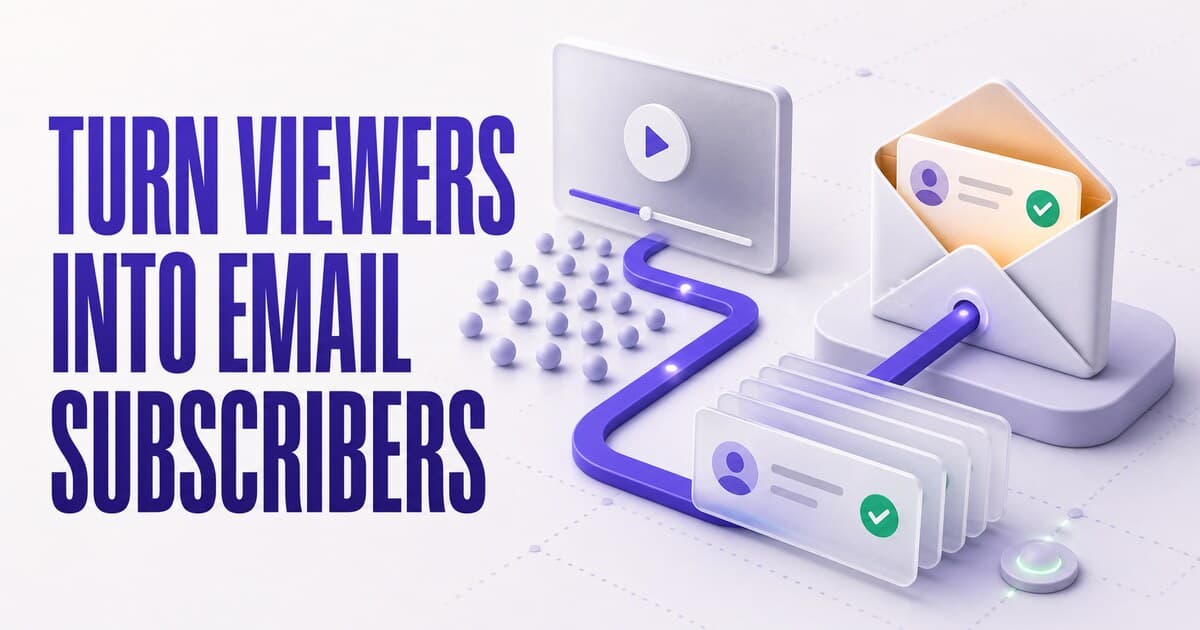
You cannot email your YouTube subscribers — the platform never shares their contact info, at any channel size. The subscription is YouTube's relationship; you're allowed to borrow reach from it, one algorithmic decision at a time. The standard fix is an email list built with a lead magnet, a landing page, links in descriptions and end screens, and an email tool to maintain — real work that most creators never sustain. For talk channels — interviews, education, commentary, podcasts on YouTube — PodHood automates the whole loop: connect the channel, and every video becomes part of a searchable library where viewers subscribe in one click; each new episode then automatically emails subscribers its brief, with chapters and key moments deep-linked to the second. The roster — names, emails, dates — is yours in the Studio, on every plan including Free.
Here's the uncomfortable math of a YouTube subscriber count: it's a number you grew, attached to people you can't name, reachable only through an algorithm you don't control. YouTube never shares a subscriber's email — not at 1,000 subscribers, not at a million. When you upload, the platform decides which slice of "your" audience sees it.
That's rented reach. The subscription is YouTube's relationship with the viewer; you're borrowing it, upload by upload.
Every serious creator guide lands on the same fix — build an email list — and then hands you a second job. This post covers both halves honestly: the standard playbook in enough detail to actually run it, what it costs in practice, and the automated version if your channel is talk content.
Why you can't email your YouTube subscribers
YouTube exposes no subscriber contact information to creators — no names, no addresses, no export. The Subscribers list in YouTube Studio shows public profiles at most, and only for subscribers who chose to make their subscriptions public. This isn't an oversight to wait out; the viewer relationship is the platform's core asset, and it stays on the platform.
The practical consequence compounds quietly. Your reach on any given upload is whatever the recommendation system grants that day — and the system optimizes for the viewer's session, not for your connection to the people who chose to follow you. A policy change, a category shift, or an algorithm update can cut reach overnight, and there is nothing to fall back on, because there was never a channel of communication that belonged to you.
The subscriber count still matters — it's social proof and an input to the algorithm. It's just not what it looks like: it is not a list of people you can reach.
What an email list changes
The math is lopsided. MailerLite's 2025 benchmarks, across more than 3 million campaigns, put the global average email open rate at 42.35% (MailerLite) — while Socialinsider's benchmarks put average organic reach for a Facebook page post at roughly 1.65% of followers (Socialinsider). Feed platforms differ in the details, but the shape is the same everywhere an algorithm sits between you and your audience: single-digit reach on the content you already earned an audience for.
An email list flips that. Every release goes out to every subscriber, the message waits in the inbox instead of scrolling past, and the addresses are visible to you — a relationship that survives whatever a platform changes next.
There's a timing effect, too. A new-episode email lands the moment the episode is fresh — when a watch, a share, or a comment counts most, and when early engagement is what the recommendation system itself reads as a quality signal. The list and the algorithm aren't rivals; the list is how you stop depending on the algorithm to start the fire.
The standard playbook, step by step
The advice in every guide to YouTube email marketing is consistent, and none of it is wrong. Here's the full version, so the cost is visible:
1. Make a lead magnet
"Subscribe for updates" converts poorly, so the standard recipe starts with a trade: a resource worth an email address, tied tightly to what your channel covers. For an interview channel, that's often a guest-resource list or episode-notes pack; for an educational channel, a checklist, template, or cheat sheet distilled from your most-watched video. The relevance rule matters more than production value — a one-page summary of the exact video someone just watched out-converts a generic ebook.
2. Put the link everywhere YouTube allows
YouTube gives you a handful of clickable surfaces, and the playbook uses all of them: the first lines of every video description (before the fold), a pinned comment on each upload, end screens in the final 10–30 seconds and cards mid-video, the channel banner link and the About/Links section, and — because listeners can't click audio — a spoken call-to-action in the video itself. Each surface converts a trickle; the playbook's yield is the sum of trickles.
3. Build the landing page
The links need somewhere to go: a page with the signup form, the promise ("what you'll get, how often"), and a thank-you flow that delivers the lead magnet. Most creators run this on a website builder or their email tool's hosted pages — one more surface to keep current as the channel evolves.
4. Wire publishing to sending
To announce each upload automatically, you connect the channel's RSS feed to an email tool — Mailchimp, Kit, AWeber — and configure a template that fills in the title and description. This is the step that quietly decays: the template drifts out of date, the automation breaks without telling you, and a bare "new video is out" email is all an RSS feed can populate anyway.
5. Welcome, cadence, and list health
A welcome email confirms what subscribers signed up for, sets the cadence expectation, and links two or three starter videos. From there, cadence discipline: announce every upload, add a digest only if you can sustain it, and never go silent for months and then blast — that's the pattern that fills spam folders. And hygiene is no longer optional: Gmail and Yahoo's bulk-sender rules expect one-click unsubscribe and spam-complaint rates kept low, so bounces get pruned and complaints get watched.
What the playbook costs — and who should still run it
Each step is reasonable. The sum is a permanent parallel operation: every video needs its CTA moment, the lead magnet ages, the automation breaks silently, and the list grows at the speed of your marketing effort rather than your content. For most creators it loses the priority fight against the next upload, forever. (Podcasters on RSS feeds face the identical wall — we wrote up that version of the playbook separately.)
If your channel isn't talk content — gaming montages, music, visual-first formats — the standard playbook, run partially, is still your best path: even one description link plus a spoken CTA beats nothing. The automation below has a specific shape of channel in mind.
The automated version, for talk channels
If your channel is conversation — interviews, a podcast on YouTube, education, commentary — the list can build itself, because the thing viewers would sign up for already exists: the content, made navigable.
Connect your channel to PodHood and every video becomes part of a searchable library — real pages with transcripts, chapters, and key moments, on your own domain if you have one. The email loop is built into that surface:
- Subscribe is one click. A viewer lands on your library, clicks Subscribe, signs in with Google or a one-time email code — and becomes a verified address on your roster, not an anonymous count. The library itself is the incentive; no lead magnet required.
- The new-episode email writes itself. When a new upload finishes indexing, every subscriber is automatically emailed that episode's brief — summary, chapter map, typed key moments deep-linked to the second — under your show's name, in your show's language. Not a bare "new video is out" ping: the email carries enough substance that a subscriber with thirty seconds still gets value.
- The roster is yours to see. Studio → Subscribers: each follower's name, email, subscribe date, and email status, plus how many subscribers the next send goes out to.
- The guardrails are built in. Connecting your back catalog emails no one, an episode can never be sent twice, and every send carries one-click unsubscribe (RFC 8058) — muted subscribers keep following, so an overloaded inbox doesn't cost you the relationship.
Side by side
| Standard stack | Built into the library | |
|---|---|---|
| Signup surface | Landing page + form you build | Subscribe button on every library page |
| The incentive | Lead magnet you create and refresh | The searchable archive itself |
| Address verification | Depends on your form setup | Every follow is a signed-in, verified address |
| Per-upload email | RSS-to-email template you maintain | The episode's brief, generated at indexing |
| Deliverability rules | Yours to configure and monitor | One-click unsubscribe and hygiene built in |
| Breakage mode | Automation fails silently | Nothing to wire, nothing to break |
| Ongoing cost | A content-marketing side operation | Publish videos; the loop runs |
A worked example
Say you run a 200-episode interview channel and connect it today. The back catalog indexes into 200 searchable episode pages — and emails no one, because only newly published episodes inside the freshness window notify. Next week you upload episode 201. Within the hour PodHood picks it up; when indexing finishes, every subscriber gets the brief: the summary, the chapter map, "Owning the audience relationship — 18:42" one click from playback. Your roster shows exactly who received it. You did nothing but publish the video — same as last week, except this time the people who asked to hear about it, heard about it.
Common mistakes to avoid
- Blasting the archive. Importing a back catalog should never trigger mail. (On PodHood it can't; on a DIY RSS automation, check twice before connecting an old feed.)
- Gating everything behind the lead magnet. If the only reason to sign up is the PDF, you get PDF-collectors, not listeners. The healthiest lists are built on wanting the next episode.
- Reviving a dead list with a blast. A list that heard nothing for six months treats your comeback as spam — and inbox providers agree. Re-introduce yourself, re-set expectations, and expect unsubscribes as the list re-finds its real size.
- Counting platform subscribers as reach. They're the top of the funnel and an algorithm input — valuable, but not addressable. Plan promotion as if your email list is the only audience you can address directly on release day — because it is.
Your part: three habits
- Point links at your library, not just the video. The description link, the pinned comment, the link-in-bio — a viewer who lands on your library is one click from becoming reachable. Tag the links so Access Analytics shows which placements convert.
- Say it on air. "Everything's searchable at yourshow.com — subscribe there and every episode lands in your inbox with chapters and key moments" offers something the bell icon doesn't.
- Check two numbers weekly. Subscribers for list growth, Analytics for which sources drive it. Everything else is automatic.
Included in every plan
The subscriber loop ships with every PodHood plan, including Free. YouTube keeps the platform relationship either way — the point is to stop it being the only one you have.
Connect your channel and let the list build itself: how PodHood works · podcast email list in depth · the docs.
Frequently asked questions
- Can you email your YouTube subscribers?
- No. YouTube never exposes subscriber names or email addresses to creators, at any channel size — the subscription belongs to the platform, and your only way to reach those people is whatever slice the algorithm shows your next upload to. Building direct reach means collecting emails yourself, outside YouTube.
- How do YouTubers build an email list?
- The standard playbook: offer a lead magnet, put signup links in video descriptions, end screens, pinned comments, and the channel banner, send traffic to a landing page, and wire an email tool to send from there. It works, but it's an ongoing content-marketing operation on top of making videos.
- Do I need a lead magnet to collect emails from YouTube viewers?
- On the standard playbook, usually yes — 'get updates' alone converts poorly, so guides recommend trading a resource for the address. The alternative is making the destination itself the incentive: a searchable library of your whole channel, where subscribing means every new episode's brief lands in your inbox, needs no separate bribe.
- What's the easiest way to get emails from YouTube viewers?
- Give them one destination that's worth an account: for talk channels, PodHood turns the channel into a searchable library where Subscribe is one click — Google or an email code — and every follow is a verified address you can see in your Studio. No lead magnet, landing page, or email tool to maintain.
- What do subscribers receive when I upload a new video?
- On PodHood, the episode's brief — title, thumbnail, grounded summary, and the chapter map with typed key moments, each deep-linked to its exact second — sent automatically once the new upload finishes indexing, under your show's name, in your show's language.
- What email open rate should a channel email list expect?
- Opted-in lists dramatically out-perform feed reach: MailerLite's 2025 benchmarks put the global average open rate at 42.35%, while organic reach for a social post sits in the low single digits of a following. Your exact number depends on list hygiene and cadence — which is why the send should be conservative and every email should carry one-click unsubscribe.
- Does this work for any YouTube channel?
- It's built for talk content: interviews, podcasts on YouTube, education, commentary — channels where the value is in what's said. PodHood decomposes conversation into transcripts, chapters, and key moments; a montage or music channel has little for it to work with.
- Which PodHood plans include the email list?
- Every plan, including Free — the Subscribe button, the Studio roster, and the automatic new-episode email ship with every library. The same connection also mirrors your YouTube comments for analysis and publishes your episodes as pages Google and AI engines can cite.
Founder of PodHood. Writes about how podcasts and YouTube channels get found on Google and in AI answers — and turn that discovery into an audience they own.
Keep reading
- Does your podcast need its own website? Why one platform isn't enough
- WebMCP for podcasts and YouTube channels: now agent-ready